Automate the creation of owners and listings to save time and reduce manual data entry. Instantly sync information from HubSpot to Guesty as soon as a deal reaches a specific stage in your sales pipeline.
How it works
The flow triggers when a "Deal" enters a specific pipeline and stage that you configure during setup.
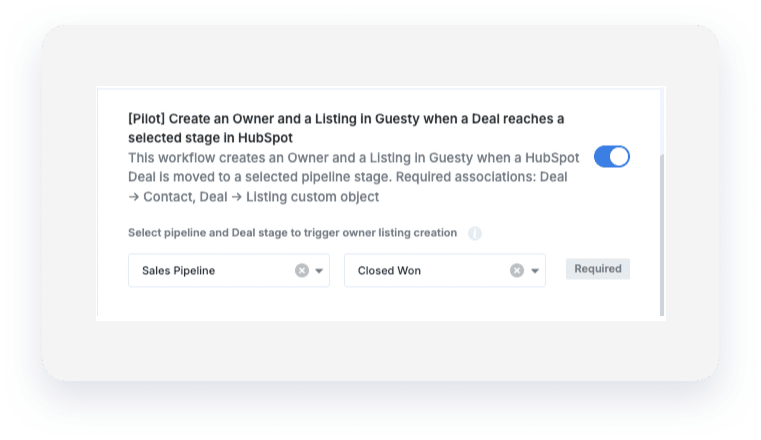
Once triggered, the following actions occur:
Guesty creates an "Owner" based on the HubSpot "Contact" associated with the "Deal".
Guesty creates a "Listing" using mapped fields from a HubSpot custom object associated with the "Deal".
The "Guesty Owner ID" is saved back to a custom property on the HubSpot "Contact", and the "Guesty Listing ID" is saved to the HubSpot custom object.
Important:
- New listings are created with an "Active / Unlisted" status and aren't published automatically.
Before you begin
Check that your records meet these requirements to ensure the flow runs successfully:
Required associations
The HubSpot "Deal" must be correctly associated with both a "Contact" and a "Custom object".
Required fields
The following fields must be populated in HubSpot for the creation to succeed:
For "Owners": The associated "Contact" must have a "Firstname", "Lastname", and "Email".
For "Listings": The associated "Custom object" must have the following mapped fields:
"Nickname" (string)
"Title" (string)
"Address full" (string)
"Base price" (number, up to 10 digits)
"Min nights" (number, up to 10 digits)
"Max nights" (number, up to 10 digits)
"Picture url" (string)
"Type" (must be "SINGLE" or "MTL")
Important:
One-time creation: The flow only creates an "Owner" and "Listing" once per "Deal".
Duplicate prevention: If the HubSpot "Contact" or "Custom object" already contains a "Guesty Owner ID" or "Guesty Listing ID", Guesty won't create a duplicate.
Re-triggering: To run the flow again for the same "Deal", move the "Deal" to a different stage and then back to the selected trigger stage.
Error handling: If a creation fails, HubSpot adds a "Note" to the "Deal" with an error message explaining what happened.