Market groups are handpicked collections of competitor listings used to benchmark your properties and influence pricing strategies. Instead of managing competitors for every individual property, you can create a market group once at the account level and reuse it across multiple listings.
Understand market groups
Market groups are created and managed globally within Guesty PriceOptimizer. By grouping similar competitor listings together—based on location, property type, or amenities—you can ensure consistent data analysis across your entire portfolio.
Where to use market groups
You can apply your Market Groups to several different workflows within PriceOptimizer:
- Competitive Benchmarking: Compare your listing’s performance, such as occupancy and rates, against the group.
- Base Price (Coming Soon): Use Market Groups to help calculate and set the ideal base price for your listings.
Create and manage market groups
Follow the steps below to build or update your account-level competitor groups.
Step by step:
- Sign in to your Guesty account.
- In the top navigation bar, click the mode selector and select Growth mode.
- Click PriceOptimizer.
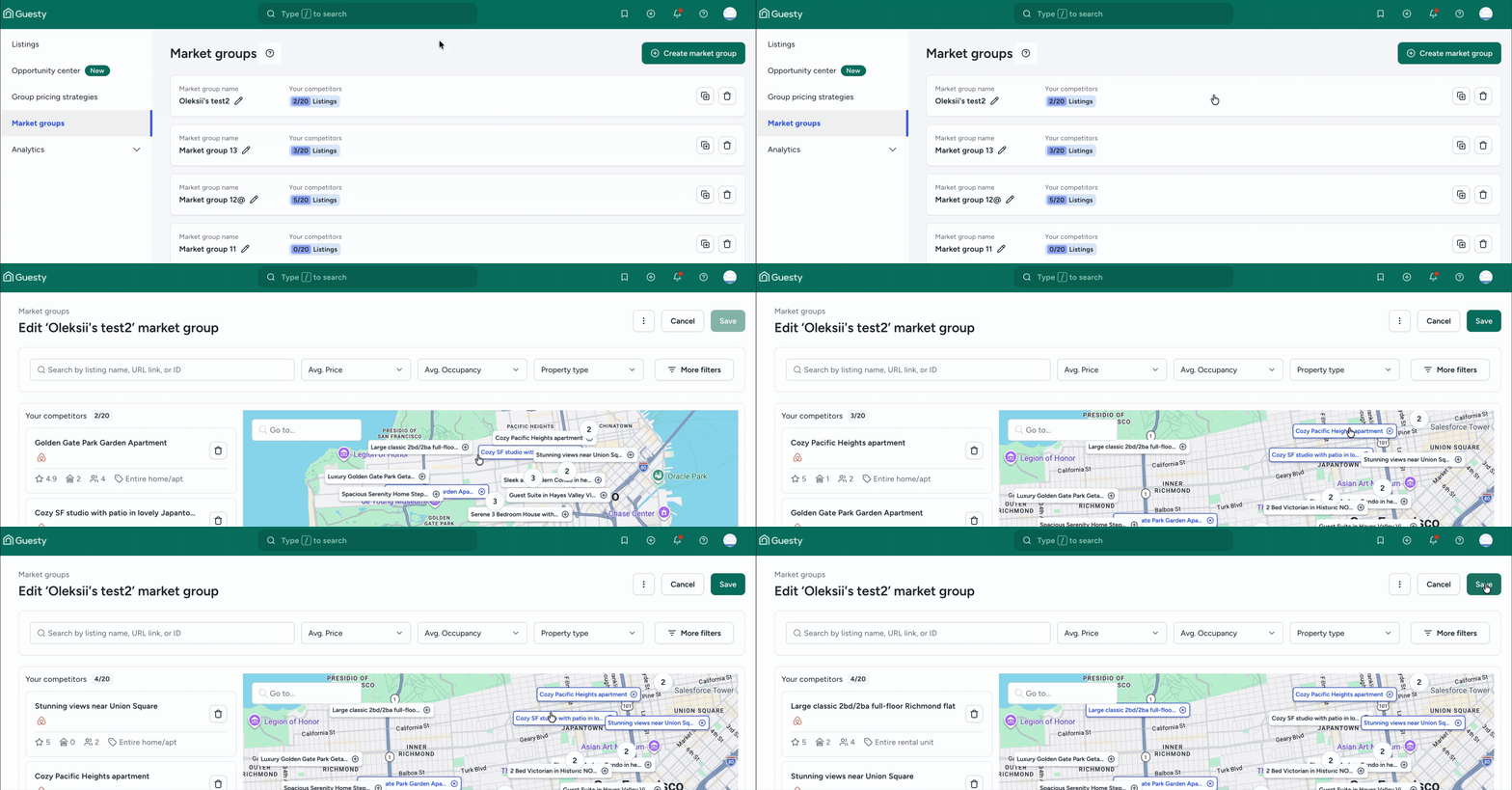
- In the left-side menu, click Market groups.
- Click Create market group in the top-right corner.
- In the pop-up, enter a descriptive name (for example: "Downtown 2BR Luxury") and click create market group.
- Click on the new market group line to open the details.
- Use the map and filters to find competitor listings.
- Select the listings you want to include and click Save.
To edit an existing group:
- Click
 to change the group name.
 - To change the listings within the group, click on the market group line to open the details. Any changes you make automatically update every listing currently using that group.
FAQs
All previously created competitor groups were automatically migrated to the account-level market groups page. You don’t need to recreate them, but we recommend reviewing them to remove any duplicates.
No. To create or edit a group, you must go to the market groups section in the main PriceOptimizer menu. This ensures the groups you create are available to be reused by any listing in your account.
For benchmarking, you can include as many as you find relevant, up to 20. If you plan to use the group to influence your pricing forecast, we recommend a targeted list of 5–20 high-quality competitors.
