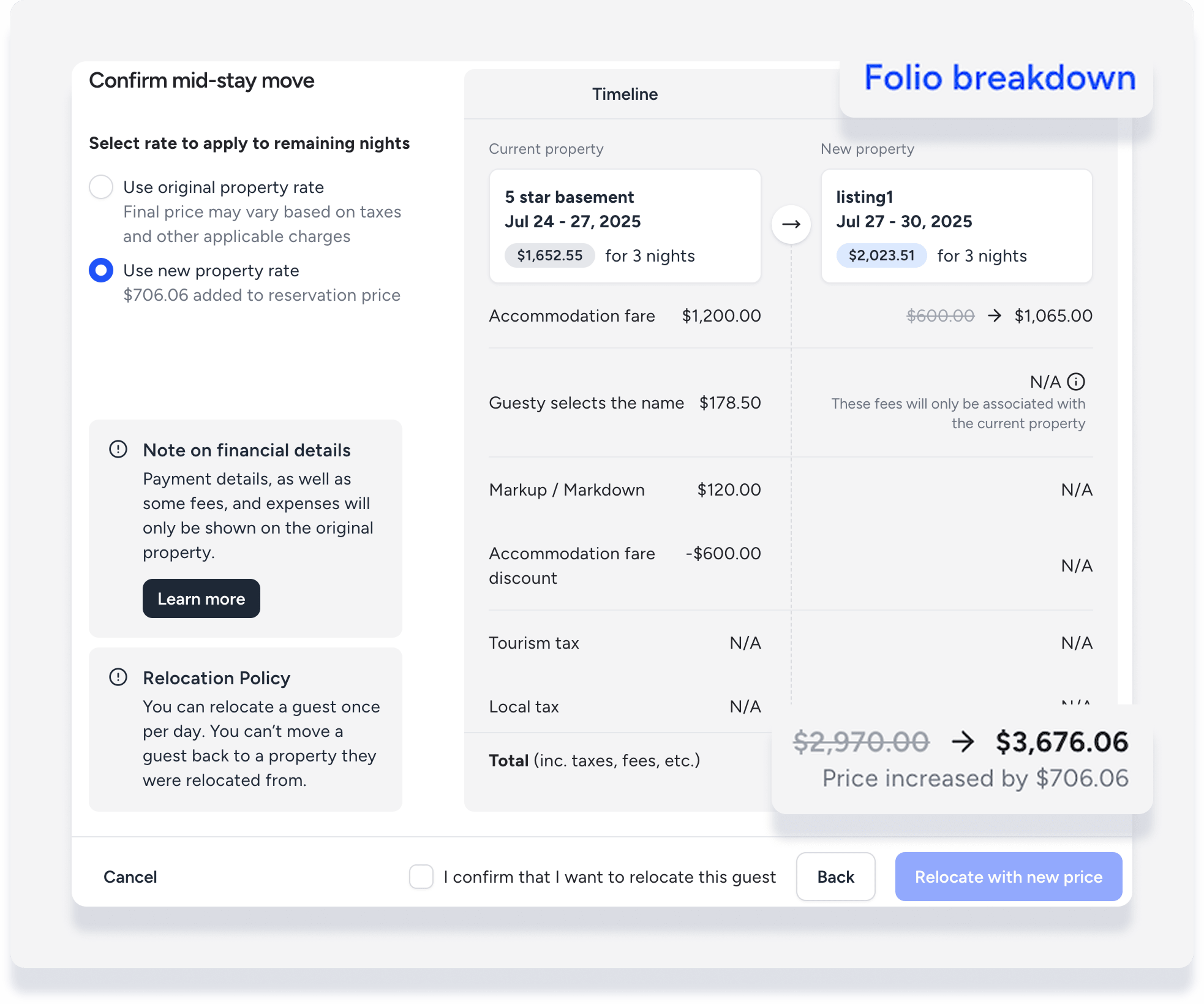
When you make a mid-stay relocation, the related financials are impacted in the following ways, depending on whether you choose to use the original property rate or use the new property rate and change the total amount, noting the following:
- Payment details, as well as some fees and expenses will only be shown on the original property
- Additional fees are part of original property
- Taxes are based on each property
Toggle between Timeline and Folio breakdown to see the price difference when using the new property rate.
Viewing financial data in the guest folio
Click the dropdown to switch between folio views:
- Entire reservation
- Original property
- New property
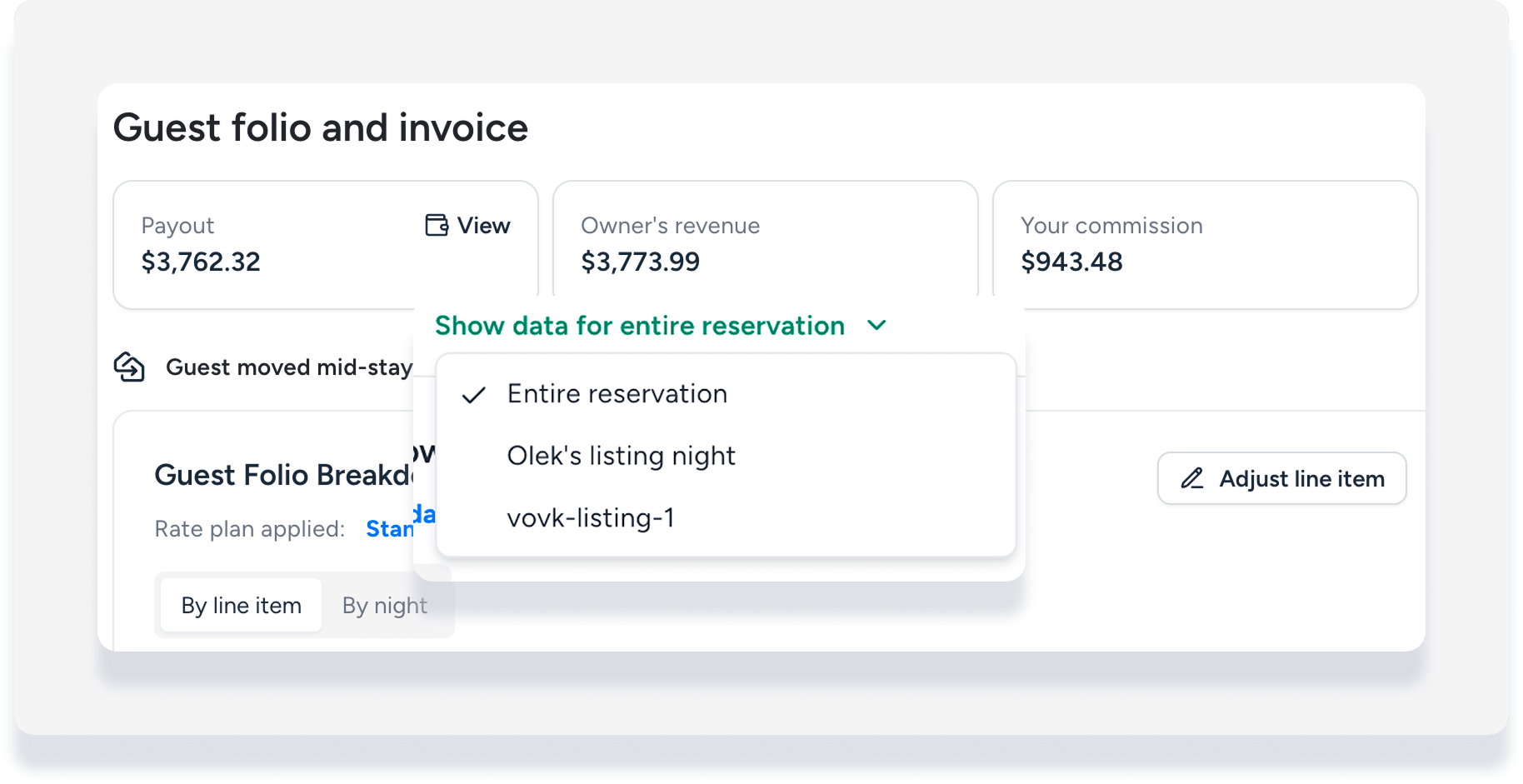
When you view the guest folio for either property it appears as in any other reservation, with the data specific to that property. When you view the entire reservation, the folio indicates when the reservation changes from the original to the new property as follows:
Folio by night

Folio by line item
Click on a line item to open the details.

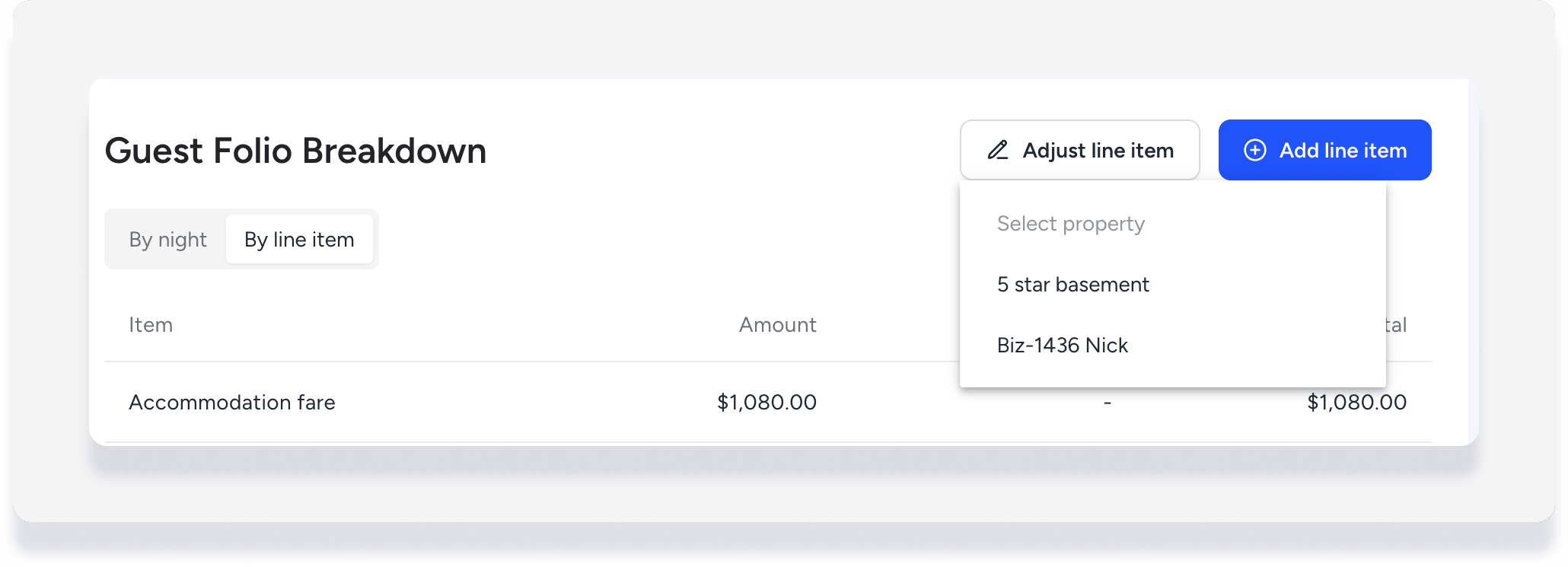
Adjust or add line item
When you're viewing the guest folio for a specific property, any line item you choose to adjust or add is automatically for that property. When you're viewing the entire reservation, a dropdown appears when you click Adjust line item or Add line item to select the relevant property.