Review chargeback details and find the necessary transaction data to file your GuestyPay chargeback dispute. This article helps you locate both the chargeback case ID number and the Acquirer Reference Number (ARN) within your reports.
Follow the steps below to locate chargeback details.
Step by step:
- Sign in to your Guesty account.
- In the side navigation menu, click
 Guest payments to open the dropdown menu.
 - Under General, select Payment processing.
In the GuestyPay section, click Payment dashboard.
In the pop-up login page, enter your username and password, and click Sign in.
Click Sub-account reports and select Transactions report.
-
At the top, select the relevant platform account and sub-account.
Platform account represents your Guesty account.
Sub-account represents your GuestyPay payment processing account.
In the Date range view, select the "Current year" timeframe.
- In the Transactions detail view, enter the reservation ID number of the reservation that contains the chargeback in the merchant transaction ID field and click Search.
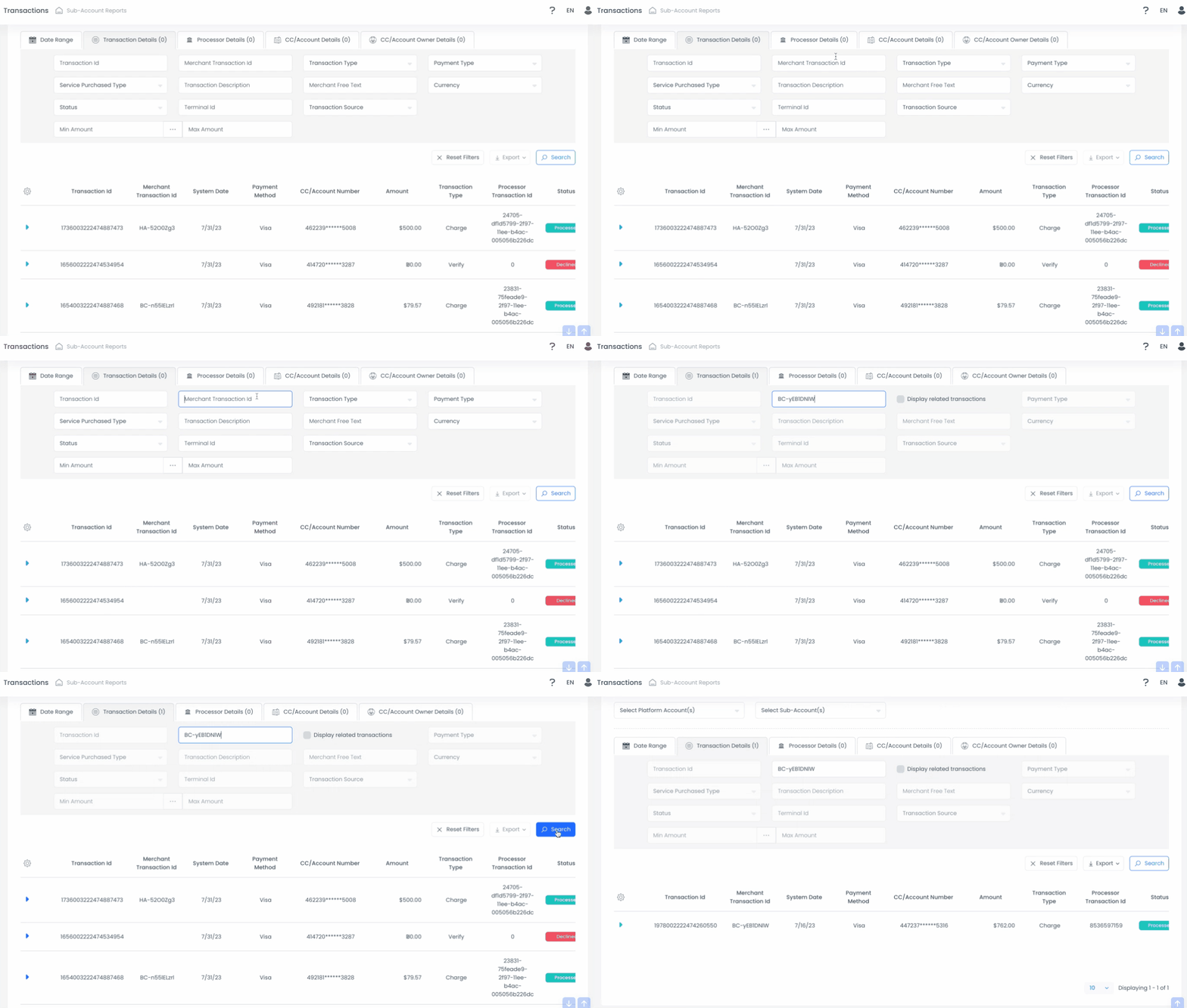
Click the blue arrow on the left-side of the transaction.
Scroll down and click Related transactions to find the case ID.
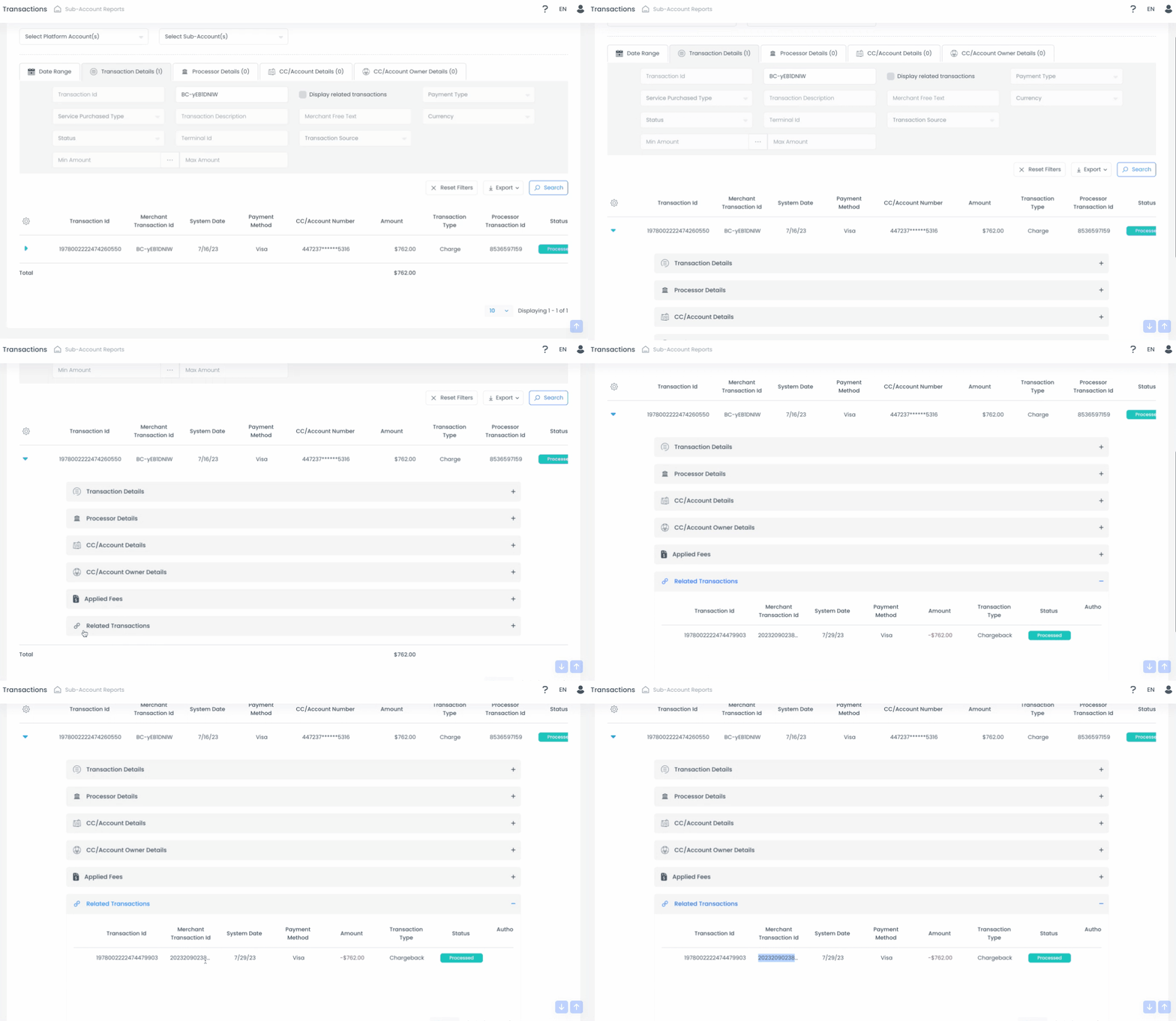
Click Transactions and select Processors details to locate the Processor ARN.