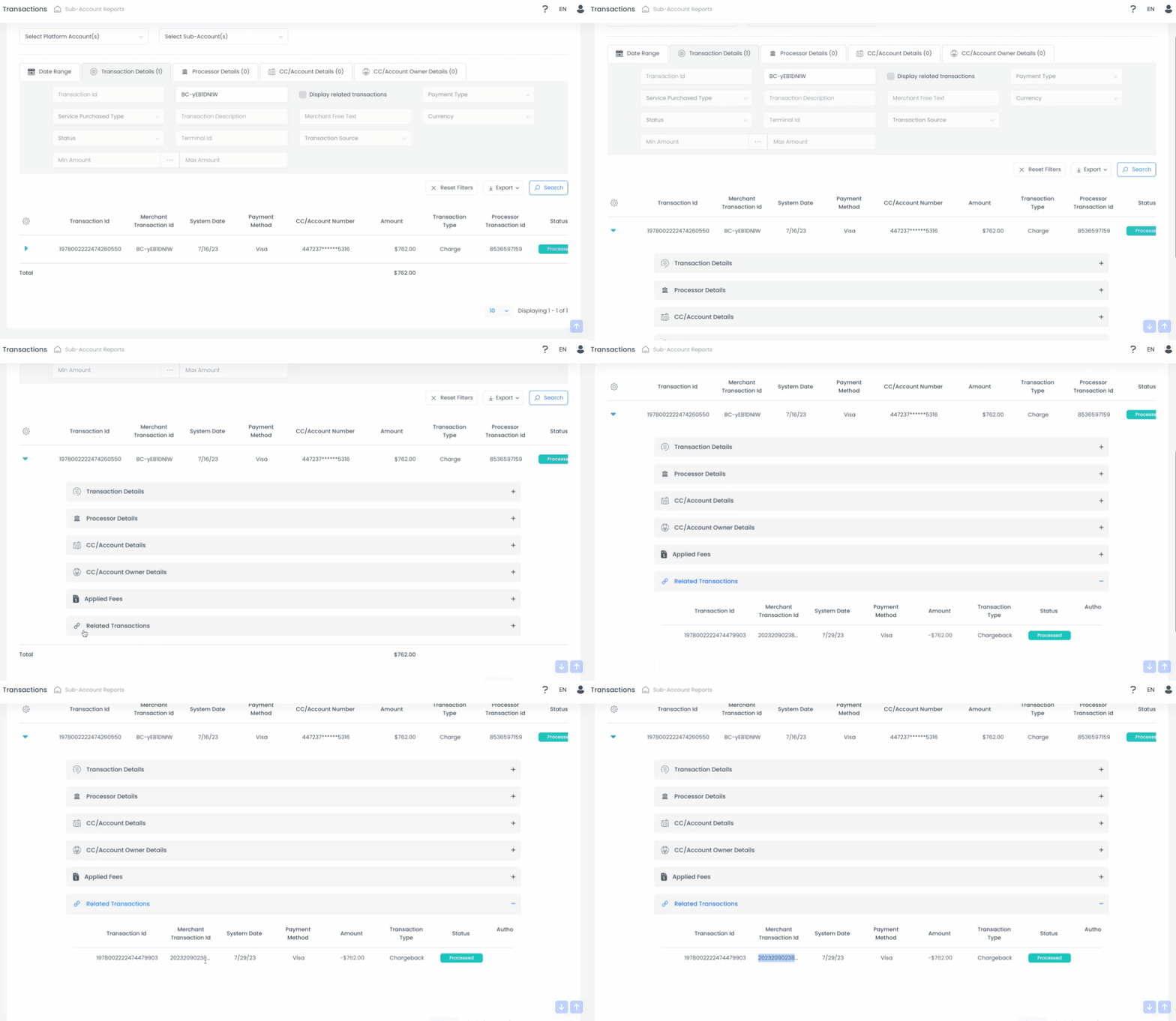
When filing a GuestyPay chargeback dispute, it's necessary to include the case number ID in your dispute letter. The case ID number is sent in a chargeback notification letter to your registered GuestyPay email address. To find this ID number in your reports, follow the instructions below.
Step by step:
- Sign in to your Guesty account.
- In the side navigation menu, click
 Guest payments to open the dropdown menu.
 - Under General, select Payment processing.
- In the GuestyPay section, click on Payment dashboard.
- In the dashboard login page, enter your username and password, and click Sign in.
- Click Sub-account reports and select Transactions report.
- At the top, select the relevant platform account(s) and sub-account(s).
- Platform account - Guesty account
- Sub-account - GuestyPay payment processing account
- In the Date range view, select the "Current year" timeframe.
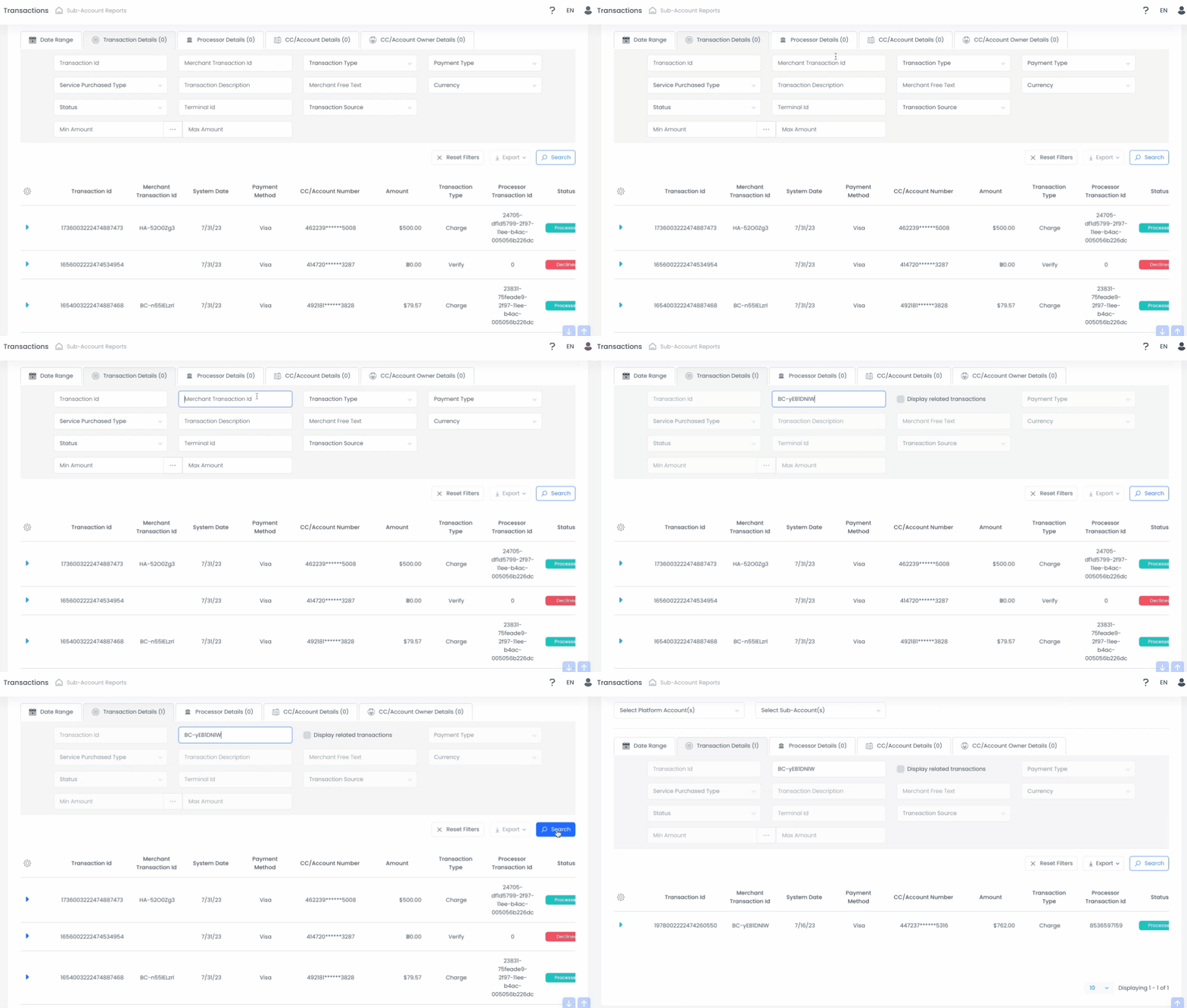
- In the Transactions detail view, enter the reservation ID number of the reservation that contains the chargeback in the merchant transaction ID field and click Search.
- Click the blue arrow on the left. Scroll down and click Related transactions. The merchant transaction ID in this area is the chargeback case ID number to include in your chargeback dispute letter.